$69.99 $39.99

Save $30.00
In Stock, Usually ships within 1 business day

Free shipping & 30 day returns
Award-winning 24/7 customer support

Features:*

  • Wireless-N (2.4 GHz)
  • Fast Ethernet (10/100) Bridge Port
  • Extended range with multiple antennas
  • Flexible wall or desktop placement options
  • Also works as wireless bridge for wired device

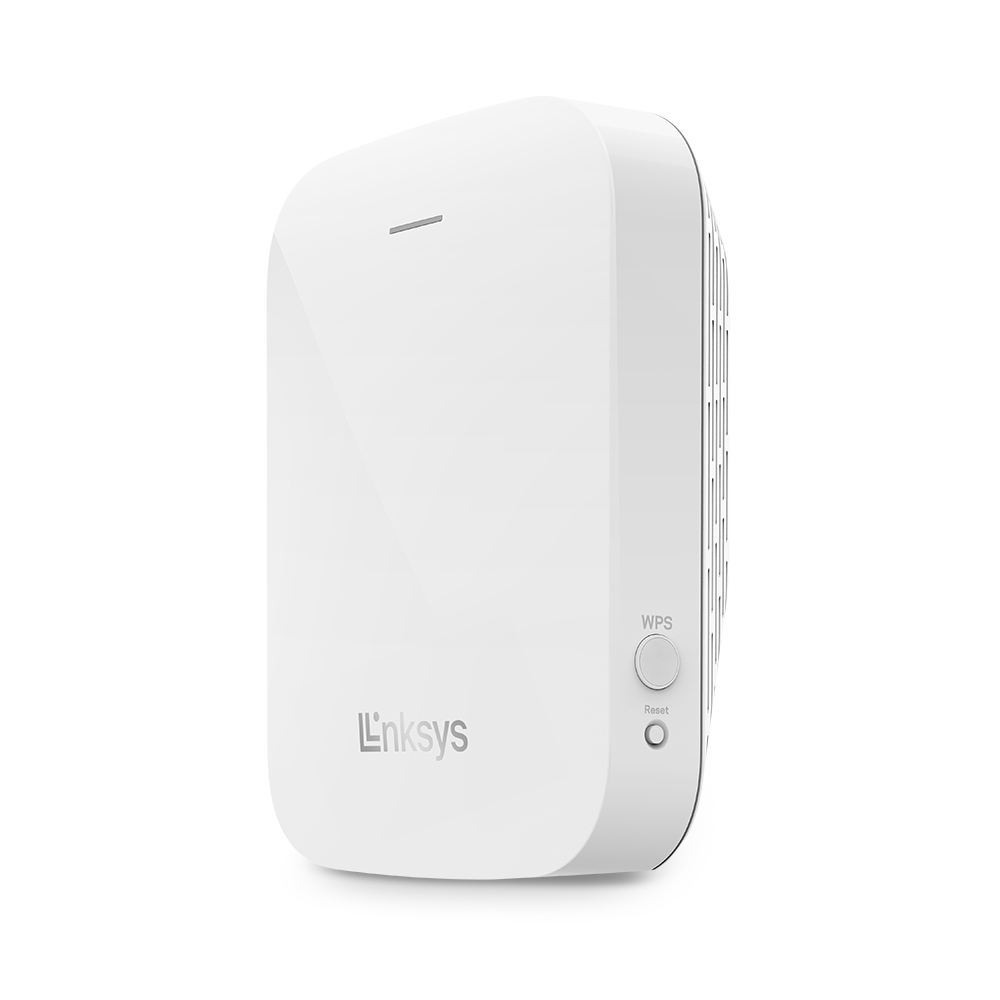
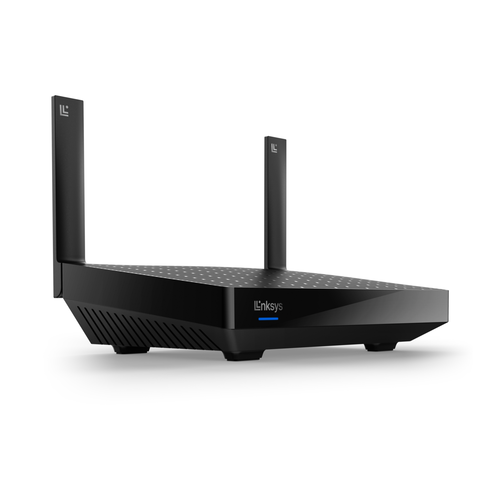
Linksys RE1000
Wireless-N Wi-Fi Range Extender
Certified Refurbished

Average Rating:
Wireless-N Range Extender Bridge
See larger image and other views

Wi-Fi Everywhere - Increase Your Wireless Coverage

Easily increase the range of your current wireless router and network.

Linksys RE1000 RE1000 Extenders Diagram

Broad Compatibility

The Linksys RE1000 works seamlessly with all b/g/n Wi-Fi devices so you can connect all of the computers and devices around your home. For best performance, pair with any Wireless-N router from Linksys, Belkin or others.


Extended Range

Built with leading 802.11n wireless technology, the Linksys RE1000 provides reliable performance. Multiple MIMO (multiple input, multiple output) antennas extend your router's wireless coverage into hard-to-reach areas of your home.


Peformance Investment Protection

Compatibility with Wireless-A (802.11a), Wireless-B (802.11b), Wireless-G (802.11g) and Wireless-N (802.11n) Wi-Fi Standards.


Flexible Placement

Wall outlet or desktop placement options allow you to optimize the location and position of your RE1000 to achieve best possible range and performance.


Ethernet Bridge

Includes a built-in Fast Ethernet (10/100 Mbps) port, which works as a wireless bridge to instantly connect any wired Ethernet device to your network.


Wi-Fi Security

Supports up to 128-bit encryption (WEP, WPA and WPA2).


Easy Setup with Router or Access Point

Support WPS (Wi-Fi Protected Setup) button for easy connection with wireless router or wireless access point.


Easy Computer Setup and Compatibility (PC & Mac)

PC - Easy to use CD setup wizard and compatible with Microsoft Windows 8, 7, Vista SP1/SP2 and XP SP3. Mac - Easy to use CD setup wizard and compatible with OS X Leopard 10.5.8 or later, Snow Leopard 10.6.1 or later, Lion 10.7 or later.


*Maximum performance derived from IEEE Standard 802.11 specifications. Actual performance can vary, including lower wireless network capacity, data throughput rate, range and coverage. Performance depends on many factors, conditions and variables, including distance from the access point, volume of network traffic, building materials and construction, operating system used, mix of wireless products used, interference and other adverse conditions.

Model: Linksys RE1000-RM
Technology: Wireless-N
Bands: 2.4 GHz
Standards: IEEE 802.3u, 802.11g, 802.11b, 802.11a, 802.11n
Antennas: 2 Internal
Ethernet ports x speed: 1 x 10/100
Software setup: CD Install
Warranty and Support: 90 day hardware limited warranty; 90 day complimentary assisted support (includes only technical phone support and live online chat support). Cisco's online support resources are available 24/7
http://support.linksys.com/en-us/linksyswarranty
Minimum System Requirements: Wireless: Existing b/g/n wireless router or access point
Mac: Wi-Fi enabled Mac with CD or DVD drive, running OS X Leopard 10.5 or Snow Leopard 10.6
Web Browser: Internet Explorer 7, Safari 4, or Firefox 3 or higher for optional browser-based configuration
Package Contents: Linksys RE1000 Wireless-N Range Extender
CD-ROM with Setup Software and Resources
AC Power Cord for table or desktop placement
AC Power Connector Cover
Ethernet Cable
Download: Product Data Sheet PDF
Average Review: Number of reviews: 5
Write an online review and share your thoughts with others!!

  Dan from Michigan
Works nice and great value, May 5th, 2013
easy set,about 2 minutes,2700sq/ft home,max signal over whole house. I'm using a linksys e1200 router. instructions are a little weak though workable.

  Why-fy from Kernersville, NC
No More Unnecessary Date Usage, April 24th, 2013
Got this to extend my wifi to the back corner of the house. The phone jack I have is downstairs and at the opposite end of the house from the master bedroom. Followed the easy instructions for setup, and now have wifi in that part of the house. No more unnecessary data usage. Since Linksys gives a 90-day warranty on the device, don't let the "refurbished" tag scare you off. It works just as good as a new one, and for half the price.

  Cruzzzer from Los Angeles, Ca
Great Extender, April 24th, 2013
I installed this into my 2 story house. At first, the router my ISP gave me barely reached the end of the house, even less downstairs. I was skeptical at first being refurbished but was I wrong. MAJOR signal boost throughout my house, steady connection, and it can even reach downstairs no problem. It blows my router in signal strength and would definitely recommend this product. Retail stores offer extenders for ~$100, why pay more when you can purchase directly from Linksys. Thanks again!

  Snicks from Rhode Island
Works Great!!, February 28th, 2013
I have been a long time Cisco/Linksys user so I know what to expect with their home and small office products. I was skeptical going with the refurbished, but I'm glad I did and was able to save some money. I need something to help my WRT160Nv2 with it's signal from three stories below. The RE1000 was delivered to me a week after I ordered. Inside the package was the RE1000, Ethernet cable, Power cable, Wall power attachment and CD-ROM. I skipped the CD-ROM setup like I always do with home routers and directly plugged in the Ethernet cable to the repeater from my PC. I logged in with the default password and was able to find my wireless signal from three stories down. Entered my wireless key and it connected in a second. I have been running this for a good 48 hours and not one dropped connection so far. I'm sure there will be some reboots in the future, that's just the nature of wireless connectivity, but I can tell it's going to work just fine. Affordable and works well, very happy.

  A reviewer from Louisiana
Works BUT!, January 31st, 2013
OK, I bought it to extend my Linksys' poor web range. And yes, it works but I can't count how many times I'll loose my internet connection during a normal session. It always happens at least a couple of times, most often though, 5 to 6 times per hour. Again, it works, BUT!!!!